Here are major updates since Syslog Watcher 6.2.
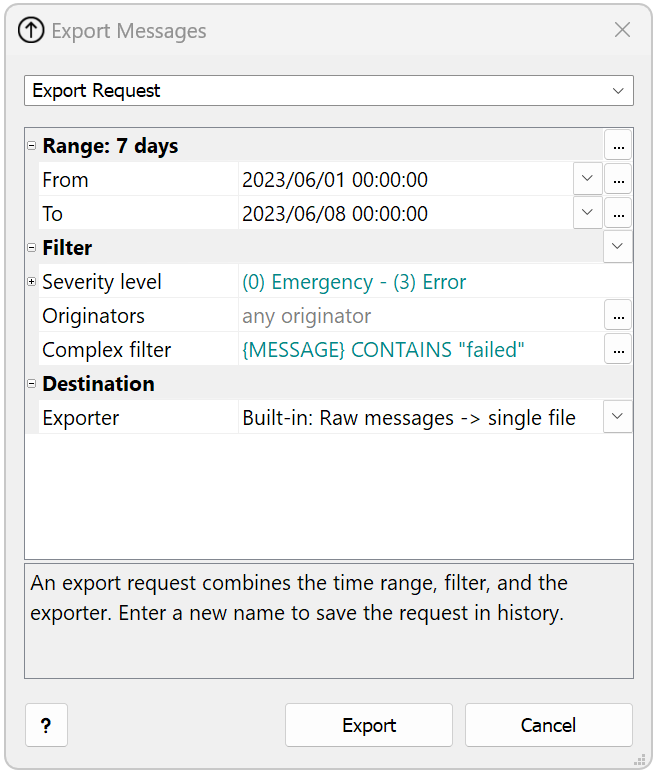
Export From Storage
Syslog Watcher 6.5 enables you to export the collected messages from the syslog storage to various text formats like CSV, XML, JSON, etc. You can benefit from multiple configurable exporters and export settings history.
Improved Message Viewer

We’ve made some improvements to the design of the viewer and toolbar to enhance user-friendliness. It’s now easier to navigate through a large number of messages with the addition of the “Prev. Page” button. The details panel can now be stacked to the left or right side of the window for better screen organization. You can copy messages to the Clipboard in various formats to integrate with other tools. The view history feature lets you easily save and access previously viewed content.
Last Messages View
Based on user feedback, we have returned the permanent “View: Latest” tab. The view with the most recent messages is available with just one click.

Storage Archive Encryption
Password-protected storage archive files allow you to meet security requirements, especially if the archives are copied to a remote, less secure location.
Advanced Message Formatting
Maximum field length limit
Number modifier limits the length of a formatted value.
Example: {MESSAGE|10} will be 10 symbols or shorter.
Regular expression transforms value in-place
A regular expression extracts data from a field on the fly. For example, message has {SRC_PORT} field equals to src_port="514".
{SRC_PORT|r/"(\d+)"/} prints port number only: 514
Escapers prepare data for output
EscCsv is a special modifier that doubles all quotes (“) to prepare for output to CSV-files, for example {MESSAGE|EscCSV}.
Other available escapers: EscHtml, EscSql.
Default field values
The question mark modifier sets the default value: {MSG_ID|?unknown} formats the field to unknown if {MSG_ID} is blank.
Versatile Report Engine
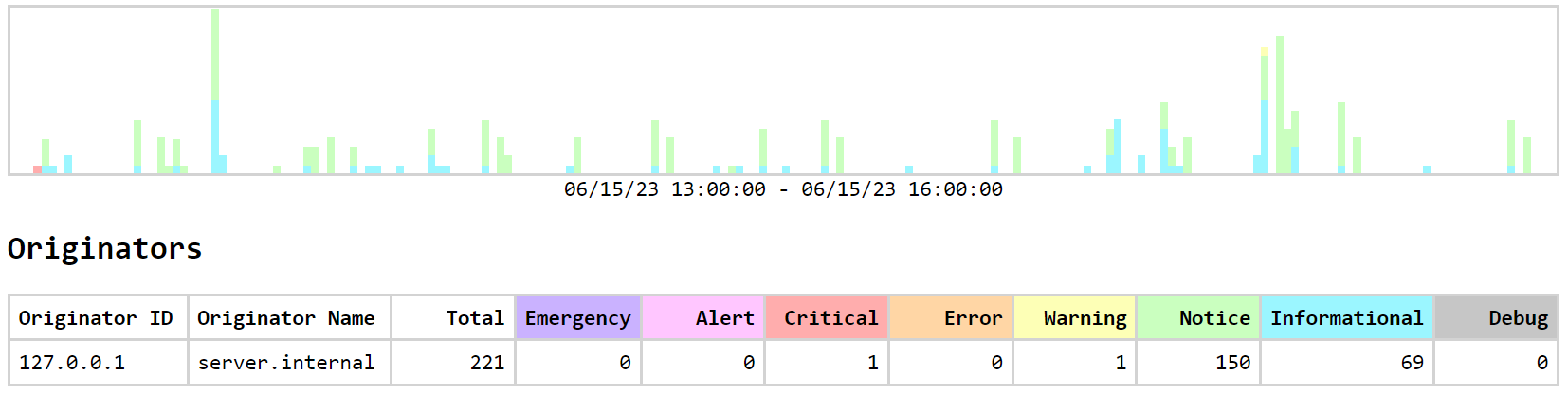
Syslog Watcher 6.5 includes a new report engine that can generate reports using the collected syslog messages.
SQL powers report templates for flexible data collection. A customizable text output means a wide variety of reports can now be generated.
New Filter Features
Numeric value comparison
Number comparisons are handled correctly, for example: {PORT_NUMBER} < 1024. (Do not enclose numbers in quotes.)
Filter List (FL) files and IN operator
Filter lists allow you to simplify filter expressions and separate data from logic, for example: {SRC_IP} IN allowed_ips.
Advanced formatting described above also improves filtering
Knowledge Base (KB) Files
Syslog Watcher 5’s support for VendorPack files containing vendor-specific information was a well-received feature. In Syslog Watcher 6.5, we introduced Knowledge Base (KB) files that offer even more advanced capabilities. KB files provide extra information and offer great flexibility in message formatting for output and export purposes.
Message Context
The message context feature is advanced and practical. You can use it to add extra data fields to messages, which can include other fields and so on. This feature is beneficial for complex processing and transforming messages.
Miscellaneous Improvements
- Redesigned syslog parser with sections
- File size limitation for Export to Files
- Allow only incoming messages with keywords
Patch-level changes are listed in Syslog Watcher 6.5 - Version History.
Compare major versions in Syslog Watcher 6 vs. Syslog Watcher 5.